
Introduction
Running a small business in 2026 is no longer just about working harder; it is about working smarter. One of the biggest differences between businesses that scale and those that struggle is how well they use tools that support small business growth. From marketing and finance to productivity and customer management, the right tools can help small businesses save time, reduce errors, and make better decisions with limited resources.
Many small business owners fail to grow not because their ideas are bad, but because they rely on manual processes, guesswork, or outdated systems. Without the right small business tools, tasks like tracking performance, managing customers, creating marketing materials, or organizing daily work become overwhelming. This often leads to burnout, poor visibility, and slow growth, even when demand exists.
Over the years, working with and diagnosing small businesses, I have seen a clear pattern: businesses that adopt the right digital tools early tend to grow faster, operate more efficiently, and make smarter strategic moves. On the other hand, those who delay tool adoption often waste money, miss opportunities, and struggle to scale.
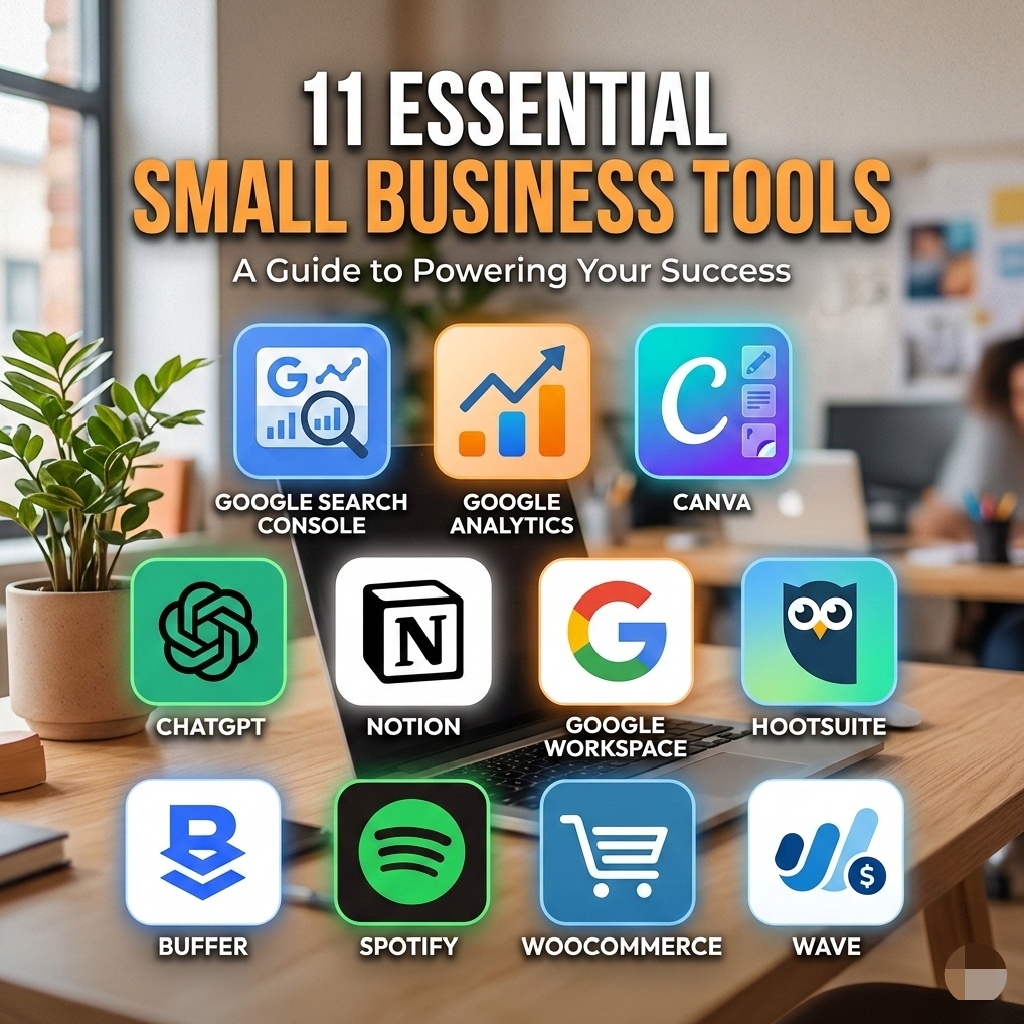
This guide breaks down 11 essential tools for small business growth in 2026, focusing on practical, affordable, and in many cases, free. You will learn what each tool does, why it matters, how real businesses use it, and how you can apply it in your own business without overcomplicating things. Whether you are just starting or looking for better tools to grow a small business, this article will help you choose tools that actually support growth, not just add noise.
Why Tools Are Important for Small Business Growth
Using the right tools for small business growth is no longer optional, especially for small businesses operating with limited time, staff, and capital. Tools help small businesses do more with fewer resources, while reducing mistakes that often slow down progress.
One major reason many small businesses struggle is that too much work is done manually. Tasks like tracking sales, responding to customers, managing finances, or planning marketing campaigns can quickly become overwhelming. This is where business automation tools and smart systems come in. They remove repetition, improve accuracy, and free up time to focus on strategy and customers.
Another key benefit of using the right small business tools is better decision-making. When you rely on guesses instead of data, growth becomes unpredictable. Tools such as analytics, accounting software, and project management platforms help business owners understand what is working, what is not, and where to invest more effort. This is how many businesses move from survival mode to sustainable growth.
Professional tools also increase credibility. For example, using a branded business email through Google Workspace instead of a free email address instantly builds trust with customers and partners. Similarly, consistent designs created with Canva make a small brand look established and reliable, even in competitive markets.
From personal experience working with small business owners, the businesses that grow faster are usually not the ones spending the most money, but the ones choosing affordable business tools and using them intentionally. When tools are aligned with clear goals, they become powerful tools to grow a small business, not unnecessary expenses.
Now, let’s break down the exact tools that support productivity, marketing, finance, and scalability, starting with one of the most important tools every growth-focused business should use.
1) Google Analytics, Track Performance and Understand Your Audience

One of the most practical tools for small business growth I personally rely on is Google Analytics. It is a free analytics platform from Google that helps small businesses understand how people actually interact with their websites, instead of guessing
For many small business owners, growth feels confusing because they do not know where customers are coming from, which pages convert, or what content is wasting effort. Google Analytics solves this by showing real data such as traffic sources, user behavior, time spent on pages, and conversions.
I use Google Analytics on my blog to track which articles attract visitors, how long readers stay, and which pages lead them to explore more content. For example, by monitoring performance, I noticed readers often move from my guide on small business growth strategies to deeper resources like How to Create a Winning Business Plan for Startups
This insight helped me improve internal linking, content structure, and calls to action, all of which directly support growth.
Why Google Analytics Supports Small Business Growth
Google Analytics is one of the most valuable small business productivity tools because it removes guesswork. Instead of assuming what customers like, you see exactly what they respond to. This makes it easier to invest time and money into what works.
It is especially useful for:
- Blogs and content-based businesses
- E-commerce stores
- Service-based businesses generating leads online
Because it is free, it also fits perfectly into a stack of free tools for small businesses that want results without heavy spending.
How to Use Google Analytics Effectively
To get real value from this tool:
- Set up goals to track sign-ups, contact form submissions, or purchases
- Monitor top-performing pages and improve weaker ones
- Track traffic sources like search engines, social media, or referrals
When combined with SEO-focused content like 9 Small Business Growth Strategies for Beginners
Google Analytics becomes a powerful decision-making engine, not just a reporting tool.
2) Google Search Console, Improve Visibility and Search Performance

Another essential entry on my list of tools for small business growth is Google Search Console. While Google Analytics shows what visitors do on your site, Google Search Console focuses on how people find you through Google search.
This tool is especially important for small businesses relying on organic traffic, content marketing, or local visibility. Many businesses struggle to grow simply because they are invisible on search engines, not because their product or service is bad.
I personally use Google Search Console to understand which keywords bring traffic to my blog, which pages Google ranks, and where improvements are needed. For example, it helped me identify pages that were getting impressions but very few clicks. With that insight, I improved headlines, meta descriptions, and internal links.
Why Google Search Console Matters for Small Business Growth
Google Search Console is one of the most underrated digital tools for small businesses, yet it plays a major role in long-term growth. It shows:
- The exact search terms people use to find your site
- Pages with indexing or technical issues
- Mobile usability problems
- Opportunities to improve click-through rates
For businesses publishing educational content, this tool pairs perfectly with structured guides like 5 Must-Have Elements in a Small Business Marketing Plan By connecting Search Console insights with a clear marketing plan, growth becomes intentional rather than accidental.
How to Use Google Search Console Effectively
To use this tool as one of your core business automation tools for insight, focus on:
- Submit your sitemap so Google indexes your pages faster
- Reviewing search queries and improving content around them
- Fixing coverage and page experience issues
For example, when I noticed growing interest in low-capital entrepreneurship, Search Console confirmed rising impressions. That insight led me to strengthen internal links to 12 (Low Capital) Businesses You Can Start with $100 in 2026,
Because it is completely free, Google Search Console stands out as one of the most powerful free tools for small businesses that want consistent and sustainable growth.
3) Canva, Create Professional Graphics Easily

For any small business, visual branding can make or break credibility. One of my go-to tools for small business growth is Canva, a user-friendly graphic design platform.
Even without design experience, Canva allows small business owners to create professional social media posts, flyers, presentations, and more. I personally use Canva to design social media visuals, promotional materials, and even blog graphics, which has helped me maintain a consistent, professional image for my brand.
Why Canva Supports Small Business Growth
Visual content improves engagement, builds trust, and reinforces brand identity. This is especially true when paired with a small business marketing plan like the one I outlined in 5 Must-Have Elements in a Small Business Marketing Plan
Canva is also one of the best small business productivity tools because it saves time. Before I used it, creating visuals meant outsourcing to a designer or spending hours learning software like Photoshop. Now, I can quickly create branded assets that match my color palette, fonts, and style.
How to Use Canva Effectively
- Set up a brand kit to maintain consistency across posts and campaigns
- Use templates for faster design and workflow efficiency
- Export in the correct sizes for different platforms (Instagram, Facebook, LinkedIn, etc.)
- Combine with scheduling tools (like Hootsuite or Buffer) to automate posting
Price Plans:
- Free tier: most features available, perfect for startups
- Pro: ~$12.99/month (optional, for advanced templates and team collaboration)
In my experience, combining Canva with a strong content strategy and analytics from tools like Google Analytics transforms basic content into a real growth driver.
4) MailerLite, Simple Email Marketing and Automation
Email marketing remains one of the most effective tools for small business growth, and MailerLite is my go-to platform.
Even if you haven’t built a huge email list yet, MailerLite allows small business owners to start small with automation, newsletters, and subscriber management. I personally use it to send updates, content links, and promotional campaigns for my blog and coaching clients, which has significantly improved engagement and conversions.
Why MailerLite Supports Small Business Growth
Many small businesses fail to grow because they ignore direct customer communication. Email marketing lets you stay top-of-mind, build trust, and convert readers into buyers. Paired with guides like 10 Essential Tips for a Successful E-commerce Business.
MailerLite becomes a powerful way to implement tools to grow a small business efficiently.
It’s particularly helpful for:
- E-commerce businesses promoting products
- Coaches and consultants sharing insights
- Freelancers nurturing leads
How to Use MailerLite Effectively
- Create sign-up forms on your website or landing pages
- Automate welcome sequences for new subscribers
- Segment your list for targeted offers
- Track open rates, click rates, and conversions to refine strategy
Price Plans:
- Free: Up to 1,000 subscribers, great for startups
- Paid: Starts around $10/month for larger lists
By combining MailerLite with analytics from Google Analytics and internal links like 12 (Low Capital) Businesses You Can Start with $100. I’ve been able to convert passive readers into active participants in my business, showing how digital tools for small businesses directly support growth.
5) Trello, Organize Work and Collaborate
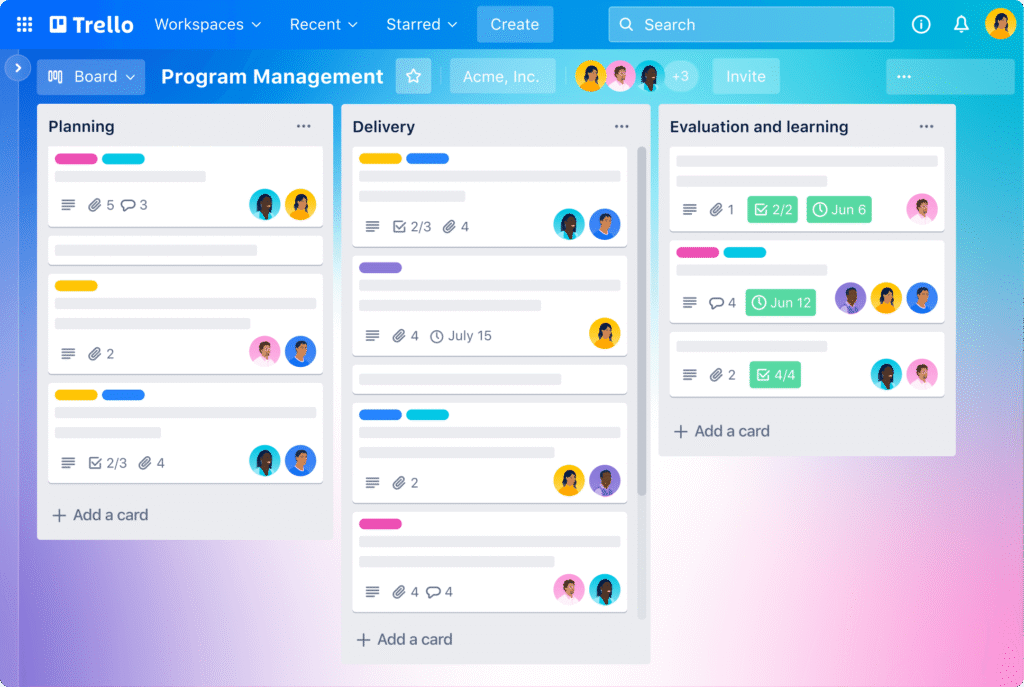
Another key entry in my list of tools for small business growth is Trello, a simple and visual project management platform.
Trello is perfect for both solo entrepreneurs and small teams. I personally use it to track client projects, content calendars, and business workflows. Before Trello, I used scattered spreadsheets and sticky notes, which caused missed deadlines and confusion. With Trello, everything is centralized, making my workday more organized and productive.
Why Trello Supports Small Business Growth
One of the main small business productivity tools, Trello, helps you:
- Visualize tasks and progress with boards and cards
- Assign deadlines and responsibilities
- Integrate with other tools like Google Workspace, Slack, and MailerLite for automation
For example, when managing content for my blog and social media campaigns, I use Trello to plan posts, track ideas, and ensure timely publication. Paired with Canva for graphics and MailerLite for emails, this forms a complete workflow that supports small business growth strategies.
How to Use Trello Effectively
- Set up boards for each project (marketing, operations, client work)
- Use checklists to track sub-tasks
- Assign tasks to team members (or yourself)
- Enable calendar view for scheduling and deadlines
Price Plans:
- Free tier: Excellent for solo entrepreneurs or small teams
- Business Class: $10/user/month for advanced features
By using Trello alongside other digital tools for small businesses, I’ve been able to scale operations efficiently while keeping projects on track and reducing errors.
6) Notion, An All-in-One Workspace for Small Businesses
Another powerful option among tools for small business growth is Notion. It is an all-in-one workspace that combines notes, task management, databases, and documentation in one place.
I started using Notion when my business information became scattered across notebooks, Google Docs, and WhatsApp chats. Bringing everything into Notion helped me regain control and improve focus. Today, it plays a big role in how I document processes, plan projects, and manage knowledge, which directly supports long-term growth.
Why Notion Supports Small Business Growth
Notion stands out among small business tools because it replaces multiple apps with one flexible system. It helps you:
- Document standard operating procedures (SOPs)
- Organize business ideas, content plans, and client notes
- Create internal dashboards for tracking goals and tasks
- Build a knowledge base as your business grows
For example, I use Notion to store business templates, onboarding checklists, and content workflows. This reduces repeated work and supports business automation tools by creating systems that scale instead of relying on memory.
How to Use Notion Effectively
- Create a workspace for each business area (marketing, finance, operations)
- Use templates for recurring tasks and processes
- Build simple databases for clients, leads, or content ideas
- Link related pages for better organization
Notion integrates smoothly with tools like Trello and Google Workspace, making it easier to build a connected system of digital tools for small businesses.
Price Plans:
- Free plan: Enough for most small business owners
- Paid plans: Start around $8 per user per month
When used consistently, Notion becomes more than a note-taking app. It becomes a central control system, making it one of the best tools for small business owners who want structure, clarity, and scalable growth.
7) Shopify or WooCommerce, Build and Scale Your Online Store
When it comes to selling online, Shopify and WooCommerce are two of the most reliable tools for small business growth. Both platforms help small businesses launch, manage, and scale e-commerce operations effectively.
I have worked with businesses using both platforms, and the right choice usually depends on budget, technical comfort, and long-term plans. Each one plays a major role in helping entrepreneurs turn ideas into profitable online stores.
Why These Platforms Support Small Business Growth
As tools to grow a small business, Shopify and WooCommerce allow you to:
- Sell products or services 24/7
- Reach customers beyond your local area
- Automate payments, inventory, and order management
- Build trust with secure checkout systems
For example, a client running a low-capital product business started on WooCommerce because it integrates smoothly with WordPress blogs. As sales grew, they added upsell plugins and email automation, which improved conversions and overall revenue.
How to Choose Between Shopify and WooCommerce
Shopify is ideal if you want simplicity and speed:
- Fully hosted, no technical setup stress
- Built-in security and performance
- Scales easily as your business grows
Price:
Plans start around $39 per month
WooCommerce is ideal if you want flexibility and a lower upfront cost:
- Free core plugin (hosting cost applies)
- Full control over customization
- Perfect for content-driven businesses
Both platforms connect well with email marketing, analytics, and payment tools, making them strong digital tools for small businesses aiming to grow online.
If you are planning an online store as part of your growth plan, these platforms align well with the principles discussed in 10 Essential Tips for a Successful E-commerce Business.
Used correctly, Shopify or WooCommerce can become one of the best tools for small business owners looking to expand reach and increase revenue sustainably.
8) Hootsuite or Buffer, Manage and Schedule Social Media Easily

Social media can quickly become overwhelming if it is not planned properly. That is why Hootsuite and Buffer are essential tools for small business growth, helping you stay consistent online without burning out.
I have seen many small business owners post randomly and then disappear for weeks. Using a scheduling tool changed that pattern completely. With tools like Buffer, I plan content, stay visible, and free up time for more important business tasks.
Why Social Media Scheduling Tools Matter
As small business productivity tools, Hootsuite and Buffer help you:
- Schedule posts across multiple platforms in advance
- Maintain consistent brand presence
- Analyze engagement and performance
- Reduce the daily stress of manual posting
For example, instead of logging in daily to post on Instagram or Facebook, you can plan one week or one month of content at once. This consistency directly supports growth by keeping your business visible and top of mind.
How to Use Hootsuite or Buffer Effectively
- Create a simple content calendar aligned with your business goals
- Schedule posts during peak engagement times
- Review analytics to understand what content performs best
- Adjust messaging based on audience response
Both tools integrate well with Canva, making them practical digital tools for small businesses that rely heavily on visual content.
Price Plans:
- Free plans: Limited features
- Paid plans: Start around $15 per month
When used strategically, social media scheduling becomes a system, not a daily struggle. That is why Hootsuite and Buffer remain some of the best tools for small business owners who want consistent visibility without wasting time.
9) QuickBooks or Wave, Simple Accounting Tools for Financial Control

Financial confusion is one of the fastest ways to slow progress. That is why QuickBooks and Wave are critical tools for small business growth, especially for owners who want clarity around money without hiring an accountant too early.
I have diagnosed many small businesses that were “making sales” but still struggling to grow. The real issue was not revenue; it was poor tracking. Once proper accounting tools were introduced, decision-making became clearer, and growth became intentional.
Why Accounting Tools Matter for Small Businesses
Among small business tools, accounting platforms help you:
- Track income and expenses accurately
- Monitor cash flow in real time
- Create invoices and receive payments faster
- Prepare for taxes with less stress
QuickBooks is ideal for businesses that are scaling and need deeper financial reporting. Wave is perfect for beginners looking for free tools for small businesses that still handle invoicing and expense tracking properly.
How to Use These Tools Effectively
- Connect your bank accounts for automatic tracking
- Categorize expenses correctly from the start
- Review monthly profit and loss reports
- Use insights to control costs and plan growth
For example, after using QuickBooks consistently, I was able to identify services that were profitable versus those that were draining resources. That single insight helped restructure offers and improve sustainability. This is how tools to grow a small business support smarter decisions, not just record-keeping.
Price Plans:
- QuickBooks: Paid plans start around $15 per month
- Wave: Free for basic accounting and invoicing
When finances are clear, growth becomes predictable. That is why accounting platforms remain some of the best tools for small business owners who want long-term stability, not guesswork.
10) Google Workspace, Professional Communication and Collaboration

As a business grows, communication becomes more complex. Emails, documents, meetings, and file sharing all need structure. That is why Google Workspace is one of the most reliable tools for small business growth, especially for teams and solo founders who want to look professional and stay organized.
I started using Google Workspace when I realized that a free personal email did not reflect the credibility I wanted my brand to project. Switching to a business email and shared tools improved both trust and internal efficiency.
Why Google Workspace Matters
Among modern digital tools for small businesses, Google Workspace helps you:
- Create professional business email addresses
- Collaborate on documents in real time
- Store files securely in the cloud
- Manage calendars, meetings, and tasks efficiently
Clients take your business more seriously when communication is clear and professional. This alone can influence trust, partnerships, and conversions.
How to Use Google Workspace Effectively
- Set up a custom domain email for your business
- Use Google Docs and Sheets for shared work
- Organize files using shared drives
- Schedule meetings using Google Calendar
For example, using shared folders has helped reduce confusion in projects and improved accountability. This level of organization is essential when using business automation tools to scale operations smoothly.
Price Plans:
- Business Starter plan starts around $6 per user per month
When communication flows smoothly, productivity increases. That is why Google Workspace is one of the best tools for small business owners focused on long-term growth and professionalism.
11) ChatGPT and AI Tools, Automating Work and Scaling Faster

AI tools have quickly become some of the most powerful tools for small business growth, especially for owners who want to save time, reduce workload, and improve output without increasing staff costs.
I personally use ChatGPT as part of my daily workflow. From content planning to refining ideas and drafting outlines, it has helped me move faster while maintaining quality. This is a perfect example of how business automation tools can support growth without overcomplicating operations.
Why AI Tools Matter for Small Businesses
Among modern small business tools, AI helps you:
- Generate content ideas and outlines
- Draft emails, social media posts, and blog structures
- Create customer support scripts and FAQs
- Brainstorm marketing strategies quickly
For small teams or solo founders, this removes a major bottleneck. Instead of spending hours starting from scratch, you focus on refining and executing.
How to Use ChatGPT Effectively
- Create content outlines before writing
- Draft email sequences and refine messaging
- Generate ideas for marketing campaigns
- Answer common customer questions
AI does not replace human thinking. It enhances it. Used correctly, tools like ChatGPT become reliable tools to grow a small business while keeping costs low.
Price Plans:
- Free version available
- Paid plans are available for advanced features
When combined with other digital tools for small businesses, AI tools help improve speed, consistency, and decision-making.
How to Choose the Right Tools for Small Business Growth
Not every tool is right for every business. The goal is not to use many tools but to use the right ones. The best tools for small business growth align with your current stage, budget, and goals.
Start by identifying your biggest bottleneck. Is it time, visibility, organization, or finances? Choose affordable business tools that directly solve that problem.
Practical guidelines:
- Start with free tools before upgrading
- Avoid overlapping tools that do the same job
- Review tools quarterly as your business grows
- Focus on tools that improve efficiency and results
This approach helps you avoid tool overload and ensures every platform supports growth intentionally.
Best Practices for Using Tools Effectively
Even the best tools for small business owners fail when used without clarity. Tools must support systems, not replace them.
Best practices include:
- Set a clear goal for each tool
- Train yourself or your team properly
- Track performance and usage regularly
- Integrate tools where possible
For example, combining email marketing tools with analytics allows you to see what actually works. This is how small business productivity tools turn effort into measurable progress.
Frequently Asked Questions About Tools for Small Business Growth
1) What are the most important tools for small business growth?
The most important tools are those that improve productivity, marketing, finance tracking, and communication. Examples include analytics tools, email marketing platforms, and accounting software.
2) Are there free tools for small businesses?
Yes. Many free tools for small businesses exist, including Google Analytics, Google Search Console, Canva, and Wave. These are excellent starting points before investing in paid plans.
3) How much should a small business spend on tools?
There is no fixed amount. Most businesses can start with free or low-cost options and gradually invest in affordable business tools as revenue grows.
4) Can tools really help grow a small business?
Yes, when used correctly. The right tools help automate tasks, improve decision-making, and free up time, making them powerful tools to grow a small business sustainably.
Conclusion
Using the right tools for small business growth is no longer optional. In today’s competitive environment, tools help small businesses operate efficiently, make smarter decisions, and scale with confidence.
The key is not to adopt every tool available but to choose platforms that support your goals, budget, and workflow. From analytics and design tools to automation and AI, each tool plays a role in building a stronger, more organized business.
Start small, test what works, and expand your toolkit as your business grows. With consistency and the right systems in place, these tools become long-term assets that support success.
For more practical guides on business building and growth, explore related resources on https://wisdomsamuel.com/blog/` and keep learning strategically.